
Test coworking Wi-Fi from the desk you plan to use, at the time you expect to work. Try a video call and a sample upload. Confirm the official network with staff and check whether your employer or client permits you to use it.
Key Takeaways
- Run a call and an upload on your own work device at the time you expect to use the desk.
- Compare test results by location, seat, and time of day. Record interruptions alongside speed.
- Use HTTPS, multifactor authentication, and any VPN your IT team requires.
- Book an enclosed room when a client conversation or shared screen needs privacy.
Test the Connection with Your Work Apps
If you are visiting Jakarta for a project or working with a team abroad, schedule the test around your actual workday in Jakarta time (WIB). Recent reviews that name a branch and describe a particular call or upload can help you shortlist places.
Use the same laptop and test at comparable times if you are weighing two sites. Check outlet reach, chair comfort, and background noise at the seat you may book. Our guide to evaluating coworking facilities in Indonesia covers those desk and plan checks in more detail.
- Record the time, seat, and download and upload speeds from a short test.
- Start a practice call with a colleague. Turn on video, share a sample screen, and ask whether your voice drops out or the picture freezes.
- Upload a non-sensitive file to an approved destination. Note whether it finishes and how long it takes.
Microsoft Teams offers a Call health view during meetings. It shows round-trip time, jitter (variation in when data arrives), and packet loss (data that fails to arrive). Record the symptoms with the numbers when reporting an issue.
Ask staff about device limits, shared capacity, and whom to contact if the line drops. Ask whether the venue has a backup connection and how staff switch to it during an outage. If your IT policy permits a mobile hotspot, test it from the same seat. For what to pack and how to check in, use the first-day vOffice coworking guide.
Notes from vOffice Consultants
Give the location team the Jakarta start time of any call you cannot move. If teammates have overlapping calls, ask how many small rooms you can reserve. For a client demo, request a test in the room you plan to book.
Check the Network Before Opening Client Files
Ask the front desk for the official network name and sign-in process. Check whether guest devices use a separate network and whether they can reach one another. Send those details to your IT team if it needs to approve the connection. See how shared coworking access works if the setup is new to you.
Use an approved, updated device for work. If the venue offers a shared computer, keep work accounts and client files on your own approved laptop. Disable automatic joins to public networks and lock your screen when you step away.
The US Federal Trade Commission (FTC) explains that HTTPS encrypts traffic to a website. Check the address before signing in because phishing sites can use HTTPS too. Enable multifactor authentication (MFA) and use the VPN your organization approves if its policy requires one.
Check Speech and Screen Privacy Separately
Wear a headset and angle your screen away from the aisle. For a client audit, contract discussion, or production incident, reserve an enclosed room and check what someone outside can hear. Repeat the call test in that room before inviting the client.
Also Read: Online Meetings at a Coworking Space: When Should You Book a Meeting Room?
Try a Location Before Booking Regular Desk Time
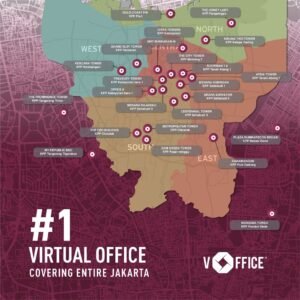
For a visit in West Jakarta, vOffice lists APL Tower in Grogol Petamburan as a coworking option. The vOffice Coworking Space service page lists Wi-Fi and a Daily Plan. Ask the location team about a desk and any enclosed room you need on your date.
Use the Jakarta daily coworking booking guide to plan the visit. Save your test results before comparing day passes with monthly plans. If work policy rules out shared Wi-Fi, use an approved connection or handle sensitive work at another site.
Want to Test Wi-Fi Before Booking?
Ask the vOffice location team about a daily desk and a time to visit.
- Microsoft. (n.d.). Monitor call and meeting quality in Microsoft Teams. Retrieved November 6, 2026, from
https://support.microsoft.com/en-us/teams/meetings/monitor-call-and-meeting-quality-in-microsoft-teams - Federal Trade Commission. (n.d.). Are public Wi-Fi networks safe? What you need to know. Retrieved November 6, 2026, from
https://consumer.ftc.gov/articles/are-public-wi-fi-networks-safe-what-you-need-know - Federal Trade Commission. (n.d.). Cybersecurity for small business. Retrieved November 6, 2026, from
https://www.ftc.gov/business-guidance/small-businesses/cybersecurity - vOffice Indonesia. (n.d.). Coworking Space. Retrieved November 6, 2026, from
https://voffice.co.id/en/services/coworking-space - vOffice Indonesia. (n.d.). Coworking Space in West Jakarta. Retrieved November 6, 2026, from
https://voffice.co.id/en/services/coworking-space-west-jakarta