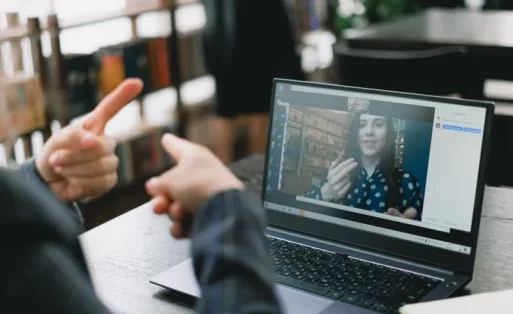

You can join an online meeting from a coworking desk when the venue permits calls, the conversation is brief, and you are not discussing sensitive information. Book a separate space when you need to limit who can hear you, several colleagues will join from the same location, or the meeting involves a longer presentation.
Key Takeaways
- A shared desk may work for a short call if the location permits speaking in that area.
- A call booth may suit one person, but its availability and level of privacy vary by location.
- A meeting room is the stronger option when colleagues gather in person or the discussion needs an enclosed space.
- A building with meeting rooms does not necessarily include room access in its coworking pass.
Match the Space to the People and Conversation
Start with the number of people physically present and what they will discuss. Use the table as a planning guide, then confirm the rules and facilities at your chosen location.
| Meeting situation | Space to consider | What to confirm |
|---|---|---|
| One person joins a short project update | Shared coworking desk | Speaking rules, background noise, and headset use. |
| One person expects to speak for an extended period | Call area or booth, if available | Time limits, booking, ventilation, and how much speech can be heard outside. |
| Two or more colleagues join from the same site | Meeting room with suitable capacity | Seats, audio setup, display, and booking period. |
| The call covers a client proposal or internal decision | An enclosed room you have assessed | Speech and screen privacy appropriate to the discussion. |
A coworking desk is shared work space. A meeting room is booked for a discussion. A call booth, where available, generally suits one person better than a group. The distinction still matters when every other participant joins remotely.
Know What a Headset Can and Cannot Solve
A headset lets you hear the meeting without playing it over your laptop speakers. People nearby can still hear you speak. If you will discuss contract figures, employee matters, or client documents, assess an enclosed space before accepting the invitation.
A long call can also disturb other desk users even when the subject is routine. Ask staff which areas permit calls and whether they have a separate place for speaking. Do not assume that every coworking location has a soundproof booth.
Set up audio before remote colleagues join a group meeting. Zoom identifies multiple computers with active audio in the same room as a possible cause of echo. Microsoft Teams advises keeping just one device’s microphone and speaker active in a room to avoid it. Test the arrangement your team will actually use.
Notes from vOffice Consultants
When asking about a room, send the team your agenda and the number of people who will attend in person. Mention any screen sharing and client information you plan to discuss. Staff can then check relevant room and equipment options before you invite participants.
Check Coworking and Meeting Room Options in Jakarta
If you need a workday with a few short calls, begin with vOffice Coworking Space services. The service page lists desks, Wi-Fi, and a Daily Plan. Confirm where calls are permitted and what your chosen location includes before booking.
When colleagues need to sit together and speak to remote participants, review vOffice Meeting Rooms. The service page lists internet access and presentation equipment. Ask which devices are available in the specific room, since an online meeting may need a different setup from an in-person presentation.
Use the Jakarta coworking locations page to shortlist buildings, then check the meeting room options for the same building and date. If you are working near Tebet, compare actual travel times. Proximity to that district alone does not establish that a building has coworking desks, call booths, and meeting rooms.
For package conditions, read the coworking day pass guide, which separates desk access from access to call spaces. The guide to choosing a coworking space covers broader location and membership checks.
Have Calls Between Work Sessions?
Check work areas and call rules with vOffice, a business with more than 20 years of experience.
Confirm the Booking Before the Call
Book enough time to set up your devices and close the meeting. For an important presentation, allow room in the schedule if the discussion runs beyond its planned end.
- Participants: state how many people will be in the room and how many will join remotely.
- Equipment: ask about the display, camera, microphone, speaker, cables, and internet access in the room you want.
- Privacy: explain your speech and screen privacy needs. Inspect the room if the call involves sensitive information.
- Access and charges: confirm entry hours, minimum booking period, room price, taxes, and any coworking package allowance.
- Testing: bring your laptop and usual meeting application. Test the microphone and speaker before participants arrive.
If your schedule may change, check the amendment and cancellation terms before paying. A meeting room listed at a building may already be booked for your preferred time.
Choose the Space That Fits the Agenda
Use a shared desk when your main purpose is individual work and any calls comply with the location’s rules. Ask about a call area for a solo conversation. Book a meeting room when your team needs to speak together, present material, or separate the discussion from the shared area.
Once you know the agenda and participant count, the vOffice Meeting Room service page is a useful next step. The team can check room capacity, equipment, availability, and the payable price for your preferred location.
Need a Room for Your Team or Client Call?
Check capacity and facilities by location with vOffice, which has served more than 50,000 clients.
- vOffice Indonesia. (n.d.). Coworking Space. Retrieved October 21, 2026, from
https://voffice.co.id/en/services/coworking-space - vOffice Indonesia. (n.d.). Meeting Room. Retrieved October 21, 2026, from
https://voffice.co.id/en/services/meeting-room - vOffice Indonesia. (n.d.). Coworking Space in Jakarta. Retrieved October 21, 2026, from
https://voffice.co.id/en/services/coworking-space-jakarta - Zoom. (n.d.). Managing Audio Echo in a Meeting. Retrieved October 21, 2026, from
https://support.zoom.com/hc/en/article?id=zm_kb&sysparm_article=KB0061720 - Microsoft. (n.d.). Share Sound from Your Computer in Microsoft Teams Meetings or Live Events. Retrieved October 21, 2026, from
https://support.microsoft.com/en-us/teams/meetings/share-sound-from-your-computer-in-microsoft-teams-meetings-or-live-events