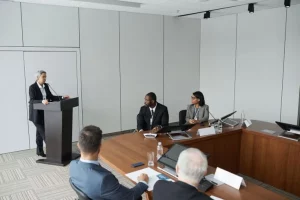

A useful client meeting checklist starts with the result the meeting must produce. Sales teams and consultants should prepare the objective, attendees, venue, materials, questions, decision record, and follow-up before meeting a prospect or active client in person.
Key Takeaways
- Define one primary outcome and the decisions required before drafting the agenda.
- Choose the venue based on privacy, access, participant count, presentation format, and discussion needs.
- Use client questions to validate the situation before presenting a recommendation or proposal.
- Close with recorded decisions, one owner per action, due dates, and the next communication point.
Match the Objective to the Client Relationship Stage
A client meeting has a different job at each stage of the relationship. Agree on a realistic outcome before choosing slides, questions, and internal attendees.
| Relationship stage | Primary outcome | Points to confirm |
|---|---|---|
| Prospect or discovery | Understand the problem and test initial fit | Needs, impact, stakeholders, and decision process |
| Proposal discussion | Align scope and assumptions | Priorities, exclusions, timing, objections, and approvals |
| Active client review | Resolve an issue or approve the next work | Progress, blockers, changing needs, action owners, and deadlines |
Write the main outcome as one sentence. For example: “The client approves phase one scope and names the person responsible for data access.” That gives the meeting a clearer test than “discuss the partnership.”
Prepare a Client Brief and Attendee Map
A short client brief gives your team the same context before entering the room. Separate confirmed information, open questions, and commitments that remain outstanding.
Salesforce Help advises users to review attendees and their roles, related account records, and pending requests before a meeting. A team without a dedicated CRM can apply the same principle in a one-page brief.
- The client’s business model, products, market, and current priorities.
- Earlier conversations, proposals, questions, and unfulfilled commitments.
- Each attendee’s title, discussion role, and decision authority.
- Assumed needs that still require validation during the meeting.
- Conversation risks, such as missing data or different expectations.
Assign internal roles as well. Name a conversation lead, a subject specialist when needed, and a decision recorder. On a small team, one person may cover two roles, but someone must own the notes.
Choose a Venue That Fits the Agenda and Privacy Needs
The meeting venue should support the work planned for the room. A short introductory conversation needs a different setup from contract negotiation, document review, or a presentation with several stakeholders.
Check room privacy, capacity, table layout, building access, arrival instructions, display equipment, internet, power, whiteboard access, and entry time before booking. Ask for the included facilities in writing.
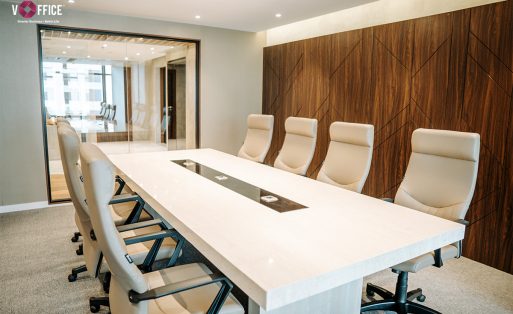
The official vOffice Meeting Room service page lists internet, projectors, whiteboards, Smart TVs, mineral water, stationery, printing and scanning, coffee, and tea. Confirm the room-specific capacity and equipment for your date.
Check the details of our locations on the following page:
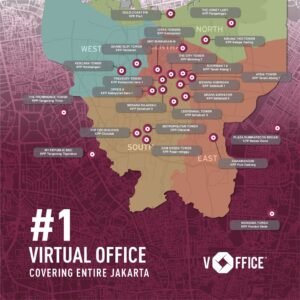
- Meeting Rooms in Jakarta
- Meeting Rooms in South Jakarta
- Meeting Rooms in Central Jakarta
- Meeting Rooms in North Jakarta
- Meeting Rooms in East Jakarta
- Meeting Rooms in West Jakarta
- Meeting Room in Tangerang
- Meeting Room in Bekasi
- Meeting Room in Cibubur
- Meeting Room in Surabaya
Legal professionals handling travel and profession-specific confidentiality can use vOffice’s separate guide to offline meetings with out-of-town legal clients. This checklist covers sales and consulting teams across industries.
No Permanent Space for Client Meetings?
Compare vOffice meeting room locations and facilities, backed by service to 50,000+ clients.
Send the Agenda, Materials, and Arrival Details
Use the client meeting agenda to set boundaries and help the client invite the right people. Include the purpose, discussion topics, leads, timing, advance reading, and expected output.
Google Workspace Learning Center shows how organizers can attach meeting notes to a calendar event and share them with external guests. Regardless of platform, put the agenda, exact building name, tower, floor, and arrival instructions in one message.
Teams hosting international participants in Indonesia should also confirm the working language. Prepare English or bilingual materials when required, and explain local abbreviations rather than assuming that every attendee knows them.
This sample 60-minute agenda can be shortened or divided into separate sessions when technical review or negotiation needs more time.
| Time | Segment | Output |
|---|---|---|
| 0 to 5 minutes | Introductions and agenda check | Participants agree on the objective and boundaries |
| 5 to 25 minutes | Client situation, needs, and questions | The problem and decision criteria become clearer |
| 25 to 45 minutes | Recommendation, proposal, or work review | Options, assumptions, and objections are recorded |
| 45 to 55 minutes | Decisions and open questions | Agreed and unresolved points remain separate |
| 55 to 60 minutes | Follow-up | Owners, due dates, and the next contact are confirmed |
Test the actual laptop, presentation, video, demo, and documents. Keep an offline copy, carry the correct adapter, and hide personal notifications before sharing the screen.
Ask Questions Before Presenting a Recommendation
Good questions let the client describe priorities in their own language. Your team can then connect the recommendation to needs that the client has confirmed.
- What outcome would make this meeting useful for you?
- How does the current process or situation work?
- Which constraint has the greatest effect on the team or target?
- What has already been tried, and what happened?
- Which criteria will you use to assess the available options?
- Who else needs to contribute or approve the decision?
- Is there a fixed date or dependency that we should plan around?
Select the relevant questions from this list. Listen to the response, then ask for examples when the effect remains unclear. Preserve the client’s terminology in the recap.
Notes from vOffice Consultants
Send the venue team the participant count and agenda format, not the booking date alone. If your team will present from its own laptop, confirm display ports, room access time, and guest reception instructions before the meeting day.
Keep the Conversation Focused Without Dismissing Questions
The meeting lead should protect the objective, time, and each participant’s opportunity to speak. Begin with introductions, state the required outcome, and confirm the agenda.
Record unrelated topics in a separate list. Decide whether the remaining time can accommodate them or whether your team should answer by email or schedule another session.
Separate decisions, assumptions, and open questions in the notes. Read back important points after a complex discussion so the client can correct misunderstandings in the room.
Close With Decisions, Action Owners, and Due Dates
Use the final minutes to assign work that someone can start. If the team promises to “follow up soon,” the client still lacks a defined output, owner, and date.
- State the decisions that participants approved.
- Separate open questions that still need answers.
- Assign one owner to each action.
- Describe the required deliverable and due date.
- Confirm the communication channel and next meeting when needed.
Microsoft Support combines agenda items, meeting notes, and follow-up tasks in one collaborative record. Teams can use the same structure in their current document, CRM, or project system.
Send a Recap That the Client Can Act On
Write the client meeting recap as a record of outcomes, decisions, and actions. Review names, figures, scope, and commitments before sending it.
- The meeting purpose and date.
- Decisions and any context that must remain on record.
- Actions, owners, deliverables, and due dates.
- Open questions and the person responsible for each answer.
- Promised attachments or links.
- The next communication point or scheduled meeting.
Update the CRM or project record so colleagues see the same version. For a more detailed record structure, use vOffice’s guide to writing minutes of meeting.
Condensed Client Meeting Checklist
Use this list for the final check. Add industry, accessibility, security, or translation requirements that apply to the specific client.
Before the meeting
- Write one primary outcome and list the decisions required.
- Review client history, open commitments, attendees, and their roles.
- Send the agenda, advance materials, full address, and arrival instructions.
- Confirm room capacity, privacy, layout, equipment, and access time.
- Test the deck, demo, display connection, internet, and backup files.
- Assign a lead, subject specialist, and decision recorder.
During the meeting
- Confirm the objective, agenda, and available time.
- Ask questions, listen, and validate assumptions.
- Keep the discussion on purpose and park unrelated topics.
- Record decisions, open questions, actions, owners, and due dates.
- Read back the agreements before participants leave.
After the meeting
- Review the notes with your team and resolve ambiguous wording.
- Send the recap and promised materials to the client.
- Update the CRM or project record with relevant information.
- Create a task for every action owner and due date.
- Schedule the next contact when participants agreed to one.
Need the Room Ready Before Your Client Arrives?
Choose presentation-ready meeting rooms across 40+ vOffice locations in Indonesia.
- Salesforce. (n.d.). Meeting Preparation and Follow-Up with Meeting Digest. Retrieved October 12, 2026, from
https://help.salesforce.com/s/articleView?id=sales.meetings_use_digest_parent.htm&language=en_US&type=5 - Microsoft Support. (n.d.). Add a Task List to Meeting Notes. Retrieved October 12, 2026, from
https://support.microsoft.com/en-us/planner/add-a-task-list-to-meeting-notes - Google Workspace Learning Center. (n.d.). Communicate Effectively with Teams. Retrieved October 12, 2026, from
https://support.google.com/a/users/answer/9296557?hl=en - vOffice Indonesia. (n.d.). Meeting Room. Retrieved October 12, 2026, from
https://voffice.co.id/en/services/meeting-room - vOffice Indonesia. (2024). Minutes of Meeting: Definition, Functions, and How to Create Them. Retrieved October 12, 2026, from
https://voffice.co.id/blog/en/minutes-of-meeting-definition/