An input tax invoice in Coretax DJP is essentially not created manually by the buyer. Instead, it is automatically recorded after the supplier uploads their output tax invoice and it is approved by the Directorate General of Taxes.
This means that as a Taxable Entrepreneur (PKP), you only need to perform verification and crediting so that the VAT can be claimed as a tax credit in your VAT Periodic Tax Return (SPT Masa PPN).
This system is designed to improve data accuracy, transaction transparency, and synchronization between sellers and buyers within the DJP e-Faktur ecosystem.
Preparation Before Accessing Coretax
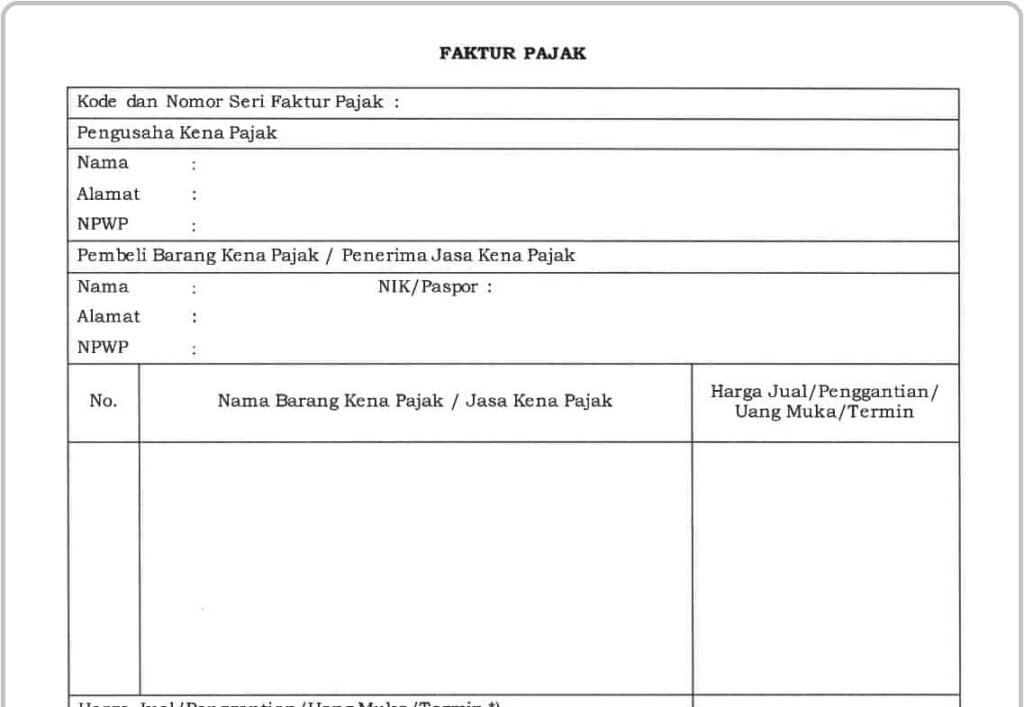
Before managing your input tax invoice, make sure:
- Your Coretax account is active and has VALID status.
- Your electronic certificate (TTE) is still valid.
- You log in using the corporate NPWP or an impersonate/PIC account.
- Your invoice data is complete: supplier NPWP, invoice number, date, DPP, and VAT amount.
Without an active electronic certificate, the tax credit process cannot be completed.
Read Also: How to Create an Advance Payment Tax Invoice in CoreTax (Latest Guide)
Steps to Log In and Access the Input Invoice Menu
- Open https://coretaxdjp.pajak.go.id
- Log in using your NPWP and password.
- Select the relevant PKP profile.
- Go to the menu e-Faktur > Input Tax Invoice.
- Click the Refresh button to load the latest data from suppliers.
The data displayed will be invoices with APPROVED status from the DJP system.
How to Verify an Input Tax Invoice
Verification is the most crucial stage before claiming the tax credit.
Follow these steps:
- Filter by tax period.
- Ensure the supplier’s NPWP matches the invoice.
- Match the DPP and VAT amounts.
- Check the invoice serial number.
Only invoices with APPROVED or UN-CREDITED status can be credited.
If there are data errors, immediately contact the supplier for correction. Do not credit invalid invoices, as this may result in fiscal corrections during a tax audit.
Read Also: How to Create a Bonded Zone Tax Invoice in Coretax
Input Tax Invoice Crediting Process
In accordance with Article 9 paragraph (9) of the VAT Law, crediting can be performed no later than 3 tax periods after the invoice issuance date.
Crediting steps:
- Select the invoice with UN-CREDITED status.
- Click Credit Invoice.
- Select the claim tax period.
- Confirm and enter your TTE passphrase if requested.
- The status will change to CREDITED.
After that, the invoice is ready to be integrated into the VAT Periodic Tax Return (SPT Masa PPN) through the Tax Return menu.
If the Invoice Does Not Appear
Some common causes include:
- The supplier has not uploaded the output tax invoice.
- The invoice has not yet been APPROVED by DJP.
- Incorrect buyer NPWP.
You may coordinate with the supplier or contact the Tax Call Center (Kring Pajak) at 1500200 for technical confirmation.
Read Also: How to Create a Replacement Tax Invoice in CoreTax
Common Challenges in Practice
In theory, the process appears simple. However, in practice, many PKPs face challenges such as:
- Invoices not synchronized with internal billing records.
- Errors in selecting the claim tax period.
- Expired electronic certificates.
- Risk of losing credit rights due to late claims.
Even minor verification errors can result in VAT overpayment or underpayment.
How vOffice Can Help You
As part of the vOffice team, we understand that managing input tax invoices requires precision and regulatory knowledge.
Through our accounting and tax reporting services and tax consulting services, we assist you in handling various tax matters.
If you want to ensure your tax processes run safely and efficiently, our team is ready to assist you in a professional and structured manner.
Contact us for a FREE consultation!
FAQ About Input Tax Invoices in Coretax
Is an input tax invoice manually created in Coretax?
No. The input tax invoice automatically appears after the supplier uploads the output tax invoice and it is approved by DJP.
What is the deadline for crediting input VAT?
A maximum of 3 tax periods after the invoice issuance date, in accordance with the VAT Law.
What does UN-CREDITED status mean?
It means the invoice is valid but has not yet been credited by the buyer (PKP).
Can an invoice be credited if there are data errors?
It is not recommended. Corrections must be made by the supplier before the crediting process.
Is it mandatory to have an active electronic certificate?
Yes. An electronic certificate is required for signing and crediting the invoice.