Removing KBLI in OSS RBA can be done through two different pathways: the Cancellation Menu if the business license has not yet been issued, and the Revocation Menu (Non-Liquidation) if the license is already active. Choosing the wrong pathway risks deleting the company’s entire licensing, not just the intended KBLI code. This guide explains each step in detail, including special conditions when the KBLI to be removed is also listed in the Articles of Association of a Limited Liability Company (PT).
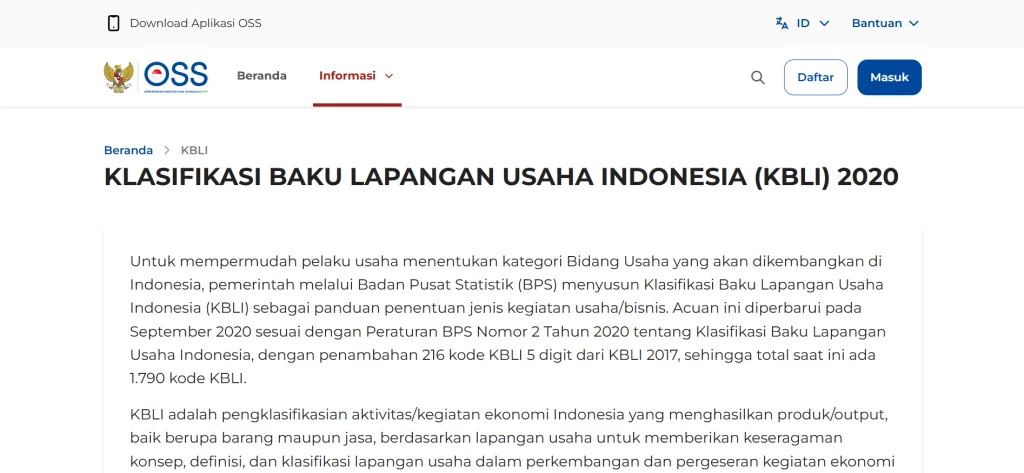
It is important to first understand that KBLI or Indonesian Standard Industrial Classification is a 5-digit code established by the Central Statistics Agency (BPS) to classify all types of economic activities. This code serves as the basis for issuing a Business Identification Number (NIB) through the OSS RBA system, while also determining the level of business risk, the types of licenses required, and LKPM reporting obligations.
To better understand how KBLI relates to business domicile and licensing, you can read our guide on KBLI for Virtual Offices and business classification in Indonesia.
Why Do Business Owners Need to Remove KBLI?
In practice, there are several situations that encourage business owners to remove one or more KBLI codes from their NIB. Understanding these reasons is important so you can determine the correct removal method.
The Company No Longer Conducts That Business Activity
As businesses evolve, companies often focus on specific sectors and abandon others that were previously registered. KBLI codes that no longer reflect actual business activities must be removed to ensure licensing data remains accurate and aligned with the company’s real condition.
Incorrect KBLI Selection from the Beginning
With a total of 1,790 KBLI codes available in the 2020 KBLI reference (BPS Regulation No. 2 of 2020), selecting the wrong code is very common, especially for first-time OSS users. Incorrect codes lead to improper business classification, which can affect the type of derivative licenses issued.
Unnecessary LKPM Reporting Burden
Each registered and active KBLI requires businesses to submit Investment Activity Reports (LKPM) periodically to BKPM. If the KBLI is no longer used but not removed, the reporting obligation remains even when there is no activity to report. This creates unnecessary administrative burden and potential non-compliance.
Adjustment of Company Legal Structure
Changes in business strategy or company restructuring may require comprehensive updates to business data, including removing KBLI codes that are no longer relevant to the new business direction.
Read Also: How to Check RDTR Properly to Ensure Your Business License is Secure
Key Differences: Cancellation Menu vs Revocation Menu in OSS RBA
Before proceeding to the technical steps, it is important to understand the difference between the two KBLI removal mechanisms available in OSS RBA, as they have significantly different impacts.
| Aspect | Cancellation Menu | Revocation Menu (Non-Liquidation) |
|---|---|---|
| When to use | Business license has NOT been issued / still in process | Business license has ALREADY been issued and is active |
| NIB Status | NIB has not been issued or is still under application | NIB is already active; only specific KBLI is revoked |
| LKPM Requirement | Not required | Must submit LKPM first to ensure valid status |
| Tax Status (NPWP/KSW) | Not required | NPWP and KSW must be valid in the system |
| Impact on Company | Only cancels the application, does not affect operations | Revoked KBLI license becomes invalid; other business activities continue |
Important note: non-liquidation revocation can only be performed if the company has more than one KBLI. If there is only one KBLI, revoking it is equivalent to revoking the entire NIB.
How to Remove KBLI via the Cancellation Menu (License Not Yet Issued)
This method is used when the KBLI is still under application or has not yet received final business licensing approval from the OSS system.
Step 1: Log in to the OSS RBA System
Access oss.go.id and log in using your registered account. Make sure you are using the account directly linked to the business data you want to modify.
Step 2: Access the Business Licensing Menu
From the dashboard, locate and select the “Business Licensing” menu in the main navigation. In some OSS interfaces, this may also appear under the “Application” submenu.
Step 3: Find the KBLI Application to Cancel
From the list of licenses, find the project or KBLI that is still under application and does not yet have an active license. You can use the search feature to speed up the process.
Step 4: Select the Cancellation Option
Click the “Cancel Licensing” option for the selected KBLI, then provide the reason for cancellation according to your company’s actual condition.
Step 5: Confirm and Complete
After entering the reason, confirm the cancellation. The OSS system will automatically remove the KBLI from your company data. Save the confirmation as documentation.
Not Sure What to Do After Removing KBLI?
Changes to KBLI often impact your company’s legal documents. The vOffice team is ready to assist with deed amendments, NIB updates, and company domicile address changes.
How to Remove KBLI via Non-Liquidation Revocation (Active License)
If the KBLI already has an active business license, it must be removed through the Non-Liquidation Revocation process, in accordance with BKPM Regulation No. 5 of 2021. This process is more complex as it requires fulfilling several administrative requirements.
Requirements Before Submission
Before submitting a non-liquidation revocation request, ensure the following conditions are met: First, the company’s NPWP status must be valid and active in the OSS system. Second, the KSW (Taxpayer Status Confirmation) must be valid. Third, the LKPM report for the KBLI to be revoked must have been submitted.
The OSS system will not process the revocation if any of these requirements are not fulfilled.
Step 1: Log in and Access Business Licensing
Log in to oss.go.id using your company account, then select the “Business Licensing” menu from the main dashboard.
Step 2: Select the Revocation Menu
Within the Business Licensing menu, select “Revocation”. The system will display two options: liquidation and non-liquidation. Choose “Non-Liquidation” since you only want to remove specific KBLI codes, not close the entire company.
Step 3: Fill Out the Application
Complete the revocation application form, including company details, director information, and the reason for removing the KBLI.
Step 4: Select the KBLI to Revoke
The system will display all KBLI codes registered under your NIB. Select the specific KBLI you want to remove. Make sure not to select the main KBLI that is still actively used.
Step 5: Enter Director Information
Provide the details of the director or authorized representative submitting the request. Ensure the data matches official company documents.
Step 6: Confirm and Save Documentation
After all data has been completed and verified, confirm the submission. Save screenshots of the OSS dashboard before and after the revocation as documentation, as the changes will synchronize with institutions such as BKPM, technical ministries, and the Directorate General of Taxes.
Removing KBLI from the Articles of Association: A Separate Procedure
Removing KBLI from the NIB in OSS does not automatically remove the same code from the company’s Articles of Association. These are separate documents, so if the KBLI is also listed in the Articles of Association, a separate legal procedure is required.
For Limited Liability Companies (PT), KBLI codes are explicitly stated under the “Purpose and Objectives” section in Article 3 of the Articles of Association. Removing KBLI from this section is categorized as an amendment to the Articles of Association, which requires approval from the Ministry of Law and Human Rights through the following steps.
Amendments must be decided through a GMS. This decision serves as the legal basis for further processing. If the company has only one shareholder, decisions can be made outside the GMS under certain legal conditions.
Step 2: Notarial Deed
The amendment must be documented in a notarial deed in Indonesian, no later than 30 days from the GMS decision date. If this deadline is exceeded, the amendment cannot be formalized.
Step 3: Submission to Ministry via SABH
Submit the amendment electronically through the Legal Entity Administration System (SABH) within 30 days of the notarial deed. Required documents include the amended deed, GMS minutes, and NPWP. The amendment becomes effective upon ministerial approval.
Step 4: Synchronization in OSS
After approval, update the KBLI data in OSS through cancellation or revocation to ensure full synchronization.
Business owners may choose to remove KBLI only from the NIB without amending the Articles of Association. However, this approach should be consulted with a legal professional due to its compliance implications.
Business owners needing professional assistance can rely on vOffice Company Registration Services. We have supported more than 50,000 businesses in handling corporate legal matters, with ISO 9001 certification ensuring service quality.
Important Things to Consider Before Removing KBLI
Before starting the removal process, several crucial aspects must be reviewed to avoid future issues.
Verify KBLI Active Status
KBLI can only be removed if it has not been used as the basis for obtaining derivative licenses. If it has been used for Standard Certificates or sectoral permits, those must be revoked first.
Check Environmental Documents
If the KBLI has environmental obligations (SPPL, UKL-UPL, or AMDAL), ensure these are updated or revoked accordingly.
Save Documents Before Changes
Download and store copies of NIB and all licenses in PDF format before making changes.
Coordinate with Relevant Authorities
Certain sectors may require additional approval or notification to technical ministries.
Read Also: Opening a Branch Office in Indonesia: Complete Guide
Benefits of Removing Irrelevant KBLI
More Accurate Licensing Data
Clean and synchronized data reflects professionalism and simplifies verification processes.
Reduced LKPM Reporting Burden
Eliminates unnecessary reporting obligations.
Faster Future Licensing Process
Improves OSS validation speed and approval efficiency.
Avoid Administrative Sanctions
Prevents risks caused by inaccurate business classification.
Need a Valid Business Address for Your NIB?
After updating KBLI, having a valid domicile in a commercial zone is crucial. vOffice provides virtual office addresses in 40+ strategic locations across Indonesia.
Frequently Asked Questions (FAQ)
Will removing KBLI in OSS shut down the entire company?
No, as long as you use non-liquidation revocation and have more than one KBLI.
Can KBLI be removed if it has been used for a Standard Certificate?
No, you must revoke the certificate first.
How long does the process take?
Cancellation: 1 working day. Revocation: several days to weeks.
What happens if KBLI is not removed?
LKPM obligations remain and may lead to sanctions.
Does removing KBLI from NIB remove it from Articles of Association?
No, it is a separate process.
Can I do it myself?
Yes for cancellation, but revocation is recommended with professional assistance.
Referensi
1. Kementerian Investasi/BKPM. (2025). Panduan Sistem OSS RBA: Permohonan Pencabutan Perizinan Berusaha Non-Likuidasi. Online Single Submission. Retrieved from
https://oss.go.id/en/panduan
2. Pemerintah Republik Indonesia. (2025). Peraturan Pemerintah Nomor 28 Tahun 2025 tentang Penyelenggaraan Perizinan Berusaha Berbasis Risiko. Retrieved from
https://jdih.setneg.go.id
3. Badan Pusat Statistik. (2020). Peraturan BPS Nomor 2 Tahun 2020 tentang Klasifikasi Baku Lapangan Usaha Indonesia. BPS RI. Retrieved from
https://klasifikasi.web.bps.go.id/app/kbli
4. Badan Koordinasi Penanaman Modal. (2021). Peraturan BKPM Nomor 5 Tahun 2021 tentang Pedoman dan Tata Cara Pengawasan Perizinan Berusaha Berbasis Risiko. Retrieved from
https://jdih.bkpm.go.id