Output tax invoices in Coretax DJP are created directly through the e-Tax Invoice menu, digitally validated, and automatically connected to VAT Periodic Tax Return reporting. This system is designed by the Directorate General of Taxes to enable Taxable Entrepreneurs (PKP) to issue e-Invoices in a more controlled, accurate, and real-time manner.
We often encounter many business owners who feel uncertain when using Coretax for the first time. You are not alone. That is why we explain each step in a structured and easy-to-understand way.
What Is an Output Tax Invoice in Coretax?
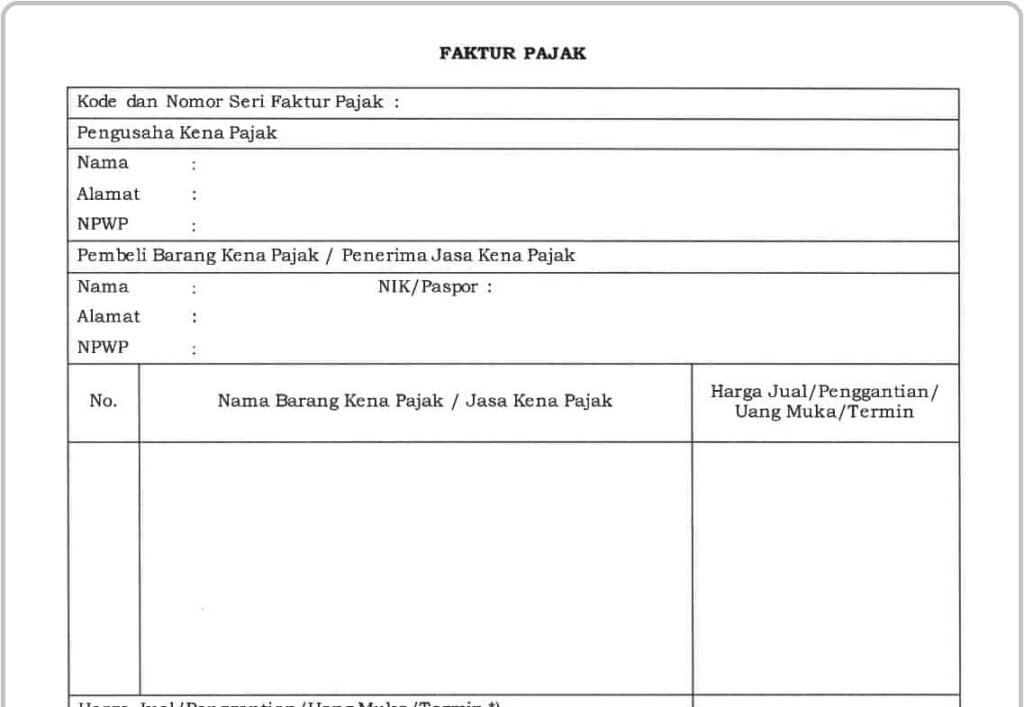
An output tax invoice is proof of VAT collection that must be issued by a Taxable Entrepreneur (PKP) for the delivery of Taxable Goods or Taxable Services. In Coretax DJP, this invoice is created electronically and validated directly by the DJP system.
Unlike the previous system, tax invoice serial numbers are now generated automatically. You no longer need to submit a separate NSFP request.
Read Also: Output Tax Invoice Guide for PKP
Login and Access the e-Faktur Menu
The first step is to log in to the Coretax DJP portal using your NPWP and tax account password. If you act as an authorized representative, use the impersonation feature to access the relevant PKP NPWP.
After successfully logging in, select the e-Tax Invoice menu, then go to the Output Tax section to start creating a new invoice.
How to Fill in Basic Tax Invoice Data
In the invoice creation form, you must fill in the VAT transaction code, invoice date, and the identity of the counterparty. The buyer’s NPWP or NIK will be automatically validated by the DJP system.
The invoice date is very important because it determines the tax period that will appear in the VAT Periodic Tax Return (SPT Masa PPN).
Read Also: How to Create a Tax Invoice in Coretax: Complete 2026 Guide
Adding Goods or Services Details
After completing the main data, add the details of the goods or services. You can select the object type, goods or services code, name, unit, price, and quantity.
Coretax will automatically calculate the Tax Base (DPP) and VAT according to the applicable rate. If the transaction consists of multiple items, you can add more than one transaction line.
Submit and Apply a Digital Signature
Once all data is correct, save the draft and click submit. The final step is to apply a digital signature using an electronic certificate or registered Electronic Signature (TTE) with the DJP.
After successful signing, the invoice status will change to approved and is ready to be used as the basis for tax reporting.
Amending or Canceling a Tax Invoice
If there is an error in the data, Coretax provides an Amend option to create a replacement tax invoice. The original invoice is not deleted but officially replaced.
If the transaction is canceled, you can use the Cancel feature. However, cancellation requires confirmation from the buyer so that the status is synchronized on both sides.
The Relationship Between Tax Invoices and VAT Periodic Tax Returns
All approved output tax invoices are automatically accumulated in the VAT Periodic Tax Return. Invoice errors can directly impact tax reporting and potential penalties.
This is why accuracy and a clear understanding of the Coretax workflow are crucial for PKP.
Read Also: How to View Submitted Tax Returns in Coretax DJP: Complete Guide from vOffice
Simplify Your Tax Management with vOffice
Managing output tax invoices in Coretax is not just about data entry, but also about ensuring compliance and consistency with VAT Periodic Tax Returns.
At vOffice, we provide accounting and tax return reporting services as well as tax consulting services to help you manage your tax obligations professionally and efficiently.
If you want to focus on running your business without worrying about tax errors, we are ready to be your trusted partner.
Contact us for a FREE consultation!
FAQ About Output Tax Invoices in Coretax
Do I still need to request a tax invoice serial number?
No. Coretax DJP automatically generates tax invoice serial numbers.
When must a tax invoice be issued?
At the time of delivery of goods or services, or when payment is received, in accordance with VAT regulations.
Can an approved invoice be changed?
Yes, but only through the replacement tax invoice or cancellation mechanism with the buyer’s approval.
Are Coretax invoices automatically included in the tax return?
Yes. Output tax invoices are directly integrated with the VAT Periodic Tax Return.