To view tax returns that have already been submitted in Coretax DJP, simply log in to your Coretax account using your NIK or NPWP, then open the Tax Return (Surat Pemberitahuan) menu and select the Submitted SPT submenu. There, you can easily access your full filing history, submission status, and official proof of receipt.
We often find that business owners, consultants, and freelancers have submitted their tax returns correctly but are still unsure whether the reports are fully recorded in the system. Coretax DJP is designed to address this concern through a centralized and transparent dashboard.
Initial Access to Coretax DJP
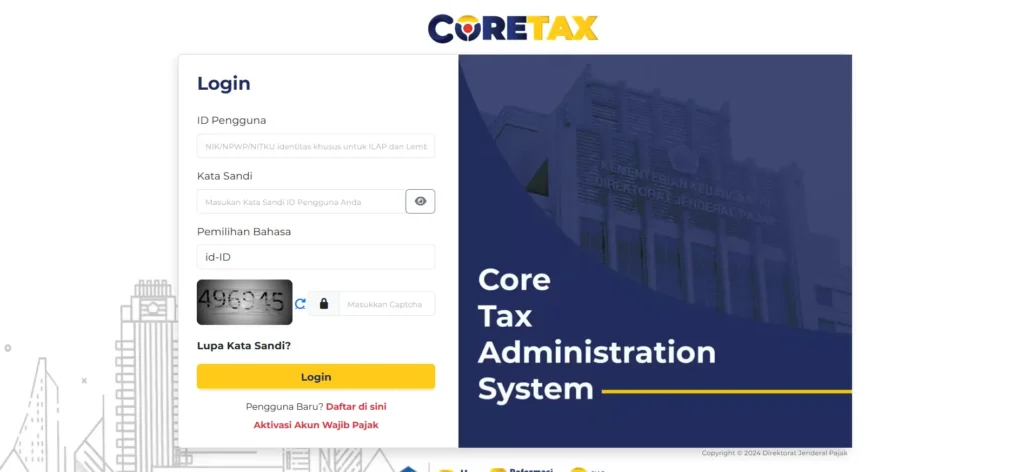
The first step is to access the official Coretax DJP website and log in using your NIK or NPWP along with your account password. After successfully logging in, you will be directed to the main dashboard, which displays a summary of your tax obligations.
This dashboard serves as the central hub for digital tax administration. From here, you can monitor various types of taxes without needing to switch between applications.
Submitted SPT Menu
At the top of the dashboard, select the Tax Return (SPT) menu. On the left side of the screen, click the Submitted SPT submenu to display a list of tax returns that you have already filed.
This list contains essential information such as tax type, tax period, tax year, and submission status. These details help ensure that both Annual and Periodic Tax Returns have been properly recorded.
Read Also: How to File an Individual Annual Tax Return in Coretax: A Complete Guide from vOffice
Viewing Details and Downloading Proof
To view the details of a specific tax return, click the view icon in the relevant SPT row. You will be able to see the header data, taxpayer identity, and a complete summary of the filing.
Coretax also provides a feature to download the Electronic Receipt (Bukti Penerimaan Elektronik or BPE). This document serves as official proof that your tax return has been received by the Directorate General of Taxes and is essential for record-keeping and audit purposes.
The Role of BPE in Filing Validation
The BPE functions as official confirmation from the tax authority. As long as you have the BPE, your tax return is considered valid even if the filing history does not immediately appear in the system.
We strongly recommend that every taxpayer store their BPE in both digital and physical formats. This serves as administrative protection in case of technical issues.
Read Also: How to Amend PPh 21 Tax Returns in Coretax: A Complete Guide from vOffice
Handling Tax Returns That Do Not Appear
In some cases, tax returns that have already been submitted may not immediately appear in the Submitted SPT menu. This is generally caused by system synchronization processes.
The solution is simple. Refresh the page periodically and ensure that you have already downloaded the BPE. You do not need to resubmit the tax return as long as the electronic receipt has been issued.
The Importance of Checking Your Tax Filing History
Reviewing submitted tax returns helps ensure tax compliance. This is especially important for business owners and freelancers who frequently need tax records for banking requirements, tenders, or business partnerships.
Tax filing history also makes it easier for consultants and finance teams to perform reconciliations and plan future tax strategies.
Practical Challenges in the Field
Although Coretax is designed as an integrated system, not all taxpayers have sufficient time or technical understanding. Minor data entry errors or delays in checking submissions often lead to unnecessary concerns.
This is where education and professional assistance become essential to ensure smooth tax filing and verification processes.
Read Also: How to Delete Draft VAT Returns (SPT PPN) in Coretax: A Complete Guide from vOffice
Practical Solutions from vOffice
As a provider of tax consulting services, we at vOffice understand that your primary focus is running your business and managing your professional work. Tax administration should not become an added burden.
Through our vOffice accounting and tax reporting services, we help ensure that your tax returns are filed correctly, well-documented, and easily traceable in Coretax. This is a practical solution for those who want to remain tax-compliant without the hassle.
Contact us for a FREE consultation!
FAQ About Viewing Tax Returns in Coretax
Can older tax returns be viewed in Coretax?
Yes. Previously submitted tax returns will appear in the Submitted SPT menu once the data has been synchronized.
What should I do if my tax return does not appear?
Make sure you already have the BPE. Refresh the page and wait for the system synchronization process.
Is it mandatory to keep the BPE?
Yes. The BPE is the official proof that your tax return has been received by the Directorate General of Taxes.
Can Coretax be accessed by both individual and corporate taxpayers?
Yes. Coretax can be used by both individual and corporate taxpayers.
Do I need to resubmit my tax return if it does not appear?
No. As long as the BPE has been issued, resubmission is not required.