Understanding how to file an SPT Unifikasi in Coretax is mandatory for every tax withholder or collector who has obligations under Article 15, 22, 23/26 Income Tax, and Final Income Tax Article 4 paragraph (2). This reporting is carried out electronically through the CORETax DJP system and has become the new standard of the Directorate General of Taxes for digital tax administration.
We often find that business owners, consultants, and freelancers are still confused about the SPT Unifikasi workflow. In fact, once understood systematically, the process is quite logical and well-structured.
What Is SPT Unifikasi in Coretax?
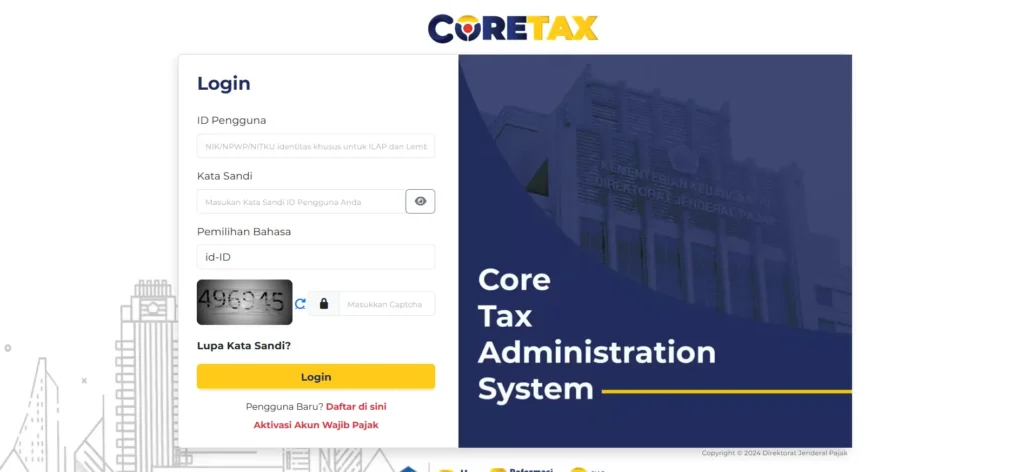
SPT Unifikasi is a Monthly Income Tax Return that consolidates several types of Income Tax into a single filing. This system is integrated with the Unified e-Bupot, allowing withholding tax data to be automatically pulled from previously issued withholding slips.
Through the CORETax Administration System (CTAS), the Directorate General of Taxes simplifies administrative processes while improving the accuracy of tax data.
Read Also: SPT Masa PPh Unifikasi: Definition and Legal Basis
Preparation Before Filing SPT Unifikasi
Before starting the filing process, make sure you have prepared the following:
- Log in to CORETax using an authorized PIC account.
- Ensure that all Unified e-Bupot (BPPU) have been issued.
- Prepare NPWP data, tax period details, and supporting documents.
Without e-Bupot, the system will not display any data in the SPT.
Steps to Create Unified e-Bupot (BPPU)
e-Bupot is the main foundation of SPT Unifikasi. The process starts from the e-Bupot > BPPU menu.
- Click Create e-Bupot MP.
- Fill in the taxpayer’s identity, tax period, and NITKU.
- Select the tax object and Income Tax type, then enter the withholding amount.
- Upload supporting documents if required.
- Submit and issue the withholding slip.
Once issued, the e-Bupot data will automatically be integrated into the SPT Unifikasi.
How to Create an SPT Unifikasi Draft in Coretax
Go to the Tax Return (SPT) menu, then select Create SPT Draft.
- Select the SPT type: Unified Income Tax (PPh Unifikasi).
- Determine the tax period and tax year.
- Choose the SPT status: normal or amended.
Review the Main Form, List I (BPPU), List II (self-paid Income Tax), and attachments before proceeding.
Read Also: How to Cancel a Unified Income Tax Withholding Slip in DJP Online
SPT Unifikasi Filing and Payment Process
After the draft is completed, the system will adjust the process based on the SPT status.
- Nil (Zero) SPT will be submitted immediately after electronic signature.
- Underpaid SPT requires you to generate a billing code or use a tax deposit. Once payment is completed, the SPT will be automatically submitted.
- Overpaid SPT requires manual verification and compensation management.
Common Mistakes When Filing SPT Unifikasi
Some common mistakes that often occur during SPT Unifikasi filing include:
- Creating an SPT before issuing e-Bupot.
- Selecting the wrong tax period.
- Billing codes expiring before payment is made.
- Withholding data not matching transaction evidence.
These minor mistakes can cause the SPT to revert to draft status.
Read Also: How to Amend Unified Income Tax (PPh Unifikasi): A Complete & Practical Guide
Simplify Your Tax Reporting with vOffice
We understand that filing SPT Unifikasi in Coretax requires accuracy, regulatory knowledge, and time. If you want to focus on running your business without worrying about tax matters, vOffice accounting and tax reporting services are the right solution.
Supported by an experienced team of vOffice tax consultants, we help ensure your SPT filing is accurate, timely, and compliant with DJP regulations. For business owners, consultants, and freelancers, vOffice is a strategic partner for simpler and more secure tax management.
Contact us for a FREE consultation!
FAQ About SPT Unifikasi in Coretax
Is SPT Unifikasi required to be filed every month?
Yes. If there is an Income Tax withholding obligation, SPT Unifikasi must be filed even if the status is nil.
Can e-Bupot be amended?
Yes. Amendments can be made before the SPT is submitted.
Are freelancers required to file SPT Unifikasi?
Yes, if they act as Income Tax withholders in accordance with applicable regulations.
What is the deadline for filing SPT Unifikasi?
No later than the 20th of the following month after the tax period ends.